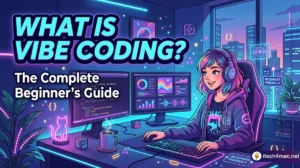
What is Vibe Coding?The Complete Beginner’s Guide
What is Vibe Coding?
The Complete Beginner’s Guide
Vibe coding is the new way millions of people are building real software — without writing a single line of code themselves. In this guide, you’ll learn exactly what it is, where it came from, and how to start today.
1. What is Vibe Coding?
Vibe coding is a software development approach where you describe what you want to build in plain English — and an AI assistant writes the actual code for you. You focus on the what and why. The AI handles the how.
Instead of memorizing syntax, debugging semicolons, or learning 10 programming languages, you have a conversation with an AI. You say “Build me a todo app with a dark theme,” and the AI produces working code instantly.
Vibe coding doesn’t mean you have zero control. You are the director — the AI is your developer. You decide what to build and review every output. The AI just handles the typing.
2. Where Did the Term Come From?
The term was coined by Andrej Karpathy — a renowned AI researcher and former Tesla/OpenAI engineer — in early 2025. He described it as “a new kind of programming where you fully give in to the vibes, embrace exponentials, and forget that the code even exists.”
The concept quickly exploded. By the end of 2025, Vibe Coding was named Word of the Year 2025, and by 2026 it had become the dominant way non-programmers (and many professional developers) build real applications.
3. How Vibe Coding Works — Step by Step
The vibe coding workflow follows a simple loop: Describe → Generate → Review → Refine → Repeat.
4. Vibe Coding vs. Traditional Coding
| Aspect | Traditional Coding | Vibe Coding |
|---|---|---|
| Skill required | Years of learning syntax | Plain English ✓ |
| Speed | Days/weeks per feature | Minutes to hours ✓ |
| Focus | How to implement | What to build ✓ |
| Code quality | High (human-reviewed) ✓ | Varies — needs review |
| Debugging | Full control ✓ | Harder at scale |
| Large codebases | Excellent ✓ | Challenging ✗ |
| Prototyping | Slow | Lightning fast ✓ |
The sweet spot in 2026: use vibe coding for prototypes, internal tools, and MVPs, then bring in traditional engineering for production-critical paths that need rigorous control.
5. Best Tools for Vibe Coding in 2026
6. Limitations You Should Know
Vibe coding is powerful, but it has real limits. Being aware of them will save you from frustration:
Large codebases become hard to control. AI-generated code has 70% more issues when there’s no architectural context guiding it. Always start with a clear structure.
The AI doesn’t know your conventions. Without guidance, it invents new patterns with every prompt. Use a CLAUDE.md file to define your project’s rules.
Security matters. Always review generated code before deploying to production, especially anything handling user data or authentication.
7. How to Start Your First Vibe Coding Session
Ready to try it? Here’s the fastest way to get started with Claude Code today:
# Step 1: Install Claude Code (requires Node.js 18+)
$ npm install -g @anthropic-ai/claude-code

# Step 2: Go to your project folder
$ mkdir my-first-vibe-app && cd my-first-vibe-app

# Step 3: Start Claude Code
$ claude

# Step 4: Describe what you want to build
You: Build me a simple landing page for a coffee shop.
     Dark background, warm colors. Include: hero section,
     menu section with 4 items, and a contact form.

# Claude reads your request, plans, and builds it — done!
For your very first session, start with something simple: “Build me a personal bio page with my name, a short intro, and three skill badges.” It takes 30 seconds and the result will immediately show you the power of vibe coding.
- Vibe coding = describing what you want in plain English + AI writes the code
- Coined by Andrej Karpathy in 2025, named Word of the Year 2025
- The workflow: Describe → Generate → Review → Refine → Repeat
- Best tool for complex projects: Claude Code. For beginners: Bolt
- Best for: prototypes, internal tools, MVPs. Not ideal for large production codebases alone
- You stay in control — the AI is your developer, you are the director



1 thought on “What is Vibe Coding?The Complete Beginner’s Guide”